- Go to Run –> gpedit.msc to open Group Policy Editor.
- Go to the following policy path:
Computer Configuration -> Administrative Templates -> System -> Credentials Delegation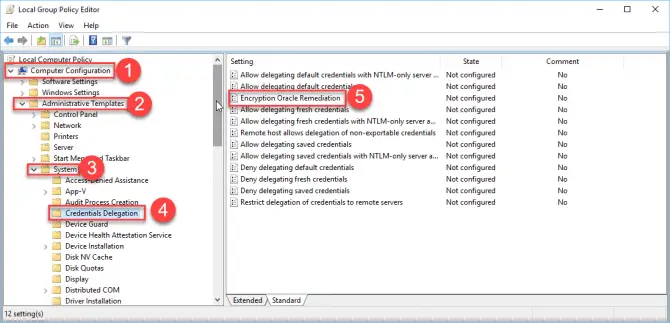 Credentials Delegation group policy
 - From the right-hand pane, open Encryption Oracle Remediation.
- Select Enabled and set the protection level to Vulnerable.
Monday, April 22, 2019
authentication error
https://www.itechtics.com/solved-authentication-error-function-requested-is-not-supported/

Subscribe to:
Post Comments (Atom)
No comments:
Post a Comment